FOR NEXUS 4 ONLY!
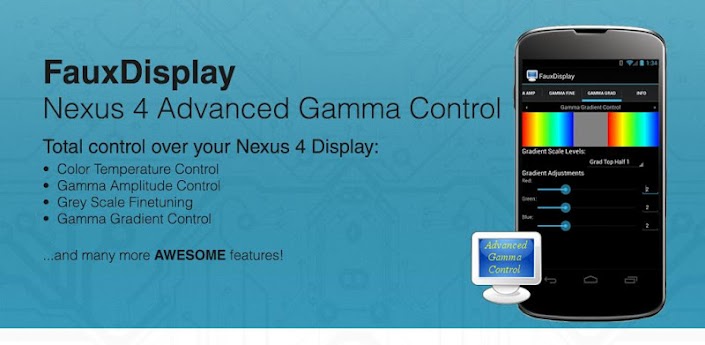
[break]
Recommended settings:
Really POP colors for FauxDisplay users
 almost Gamma 2.2 across
 Color:
255 255 255
Gamma Amp 0:
31 31 31
Gamma Amp 1:
0 0 0
Gamma Fine:
2 2 2
7 7 7
1 1 1
5 5 5
6 6 6
7 7 7
Gamma Gradient:
0 0 0
2 2 2
0 0 0
2 2 2
2 2 2
0 0 0
3 3 3
NEXUS 4 Gamma / Color Control BRIEF INSTRUCTIONS:
Adjust your preset of your choice first under “profile” (I highly recommend LG presets)
Turn Screen On/Off
Then adjust color / gamma to whatever you want.
https://plus.google.com/u/0/10907896…ts/MStfWRTY8FK
NOTE: if “set on boot” settings DO NOT stick, change your superuser to superSU. This is the NUMBER 1 cause of settings not working!
Frequently Asked Question (FAQ) can be found here:
http://forum.xda-developers.com/show…52&postcount=4
This application OFFICIALLY supports the following ROOTED devices:
* Google / LGE Nexus 4 (All variants)
*** Application Features: ***
> Color Control:
Adjusts RGB Color Color Temperatures in real-time
Total Control over Gamma Amplitudes
Total Control over Gamma Grey Scales!
Total Control over Gamma Gradient Scales!
(For Nexus 4, you will NEED TO turn Screen On/Off to refresh new Gamma settings!
My N4 kernel or kernels supporting my Gamma Control Code and ROOTED STOCK 4.2.1 Kernel ONLY!)
Allows for “Set on boot” feature
> Information:
Social networking links (Twitter, Facebook and Google Plus)
Kernel Support links (xda-developers and rootzwiki forums)
I take no responsibility for any fault or damage caused by the use of this app. No warranties of any kind are given.
Code:
https://play.google.com/store/apps/details?id=com.teamkang.fauxdisplay
Download ZippyShare
<input name="IL_IN_TAG" type="hidden" value="2">/></input>